
Description:
How to reset password for a User in SAP IAS
Solution:
Identity Authentication Service (IAS)
There are two categories of users who log in through SAP IAS/IPS:
a) Single Sign-On (SSO)
b) Password-based authentication (non-SSO users)
Users who authenticate via SSO can reset their passwords only through their Identity Provider (IdP), such as Azure AD or ADFS.
For non-SSO users, administrators can reset passwords directly through the IAS/IPS instance.
Below are the steps to reset passwords for non-SSO users:
1) In the Users & Authorization section, search for and select the user whose password needs to be reset.
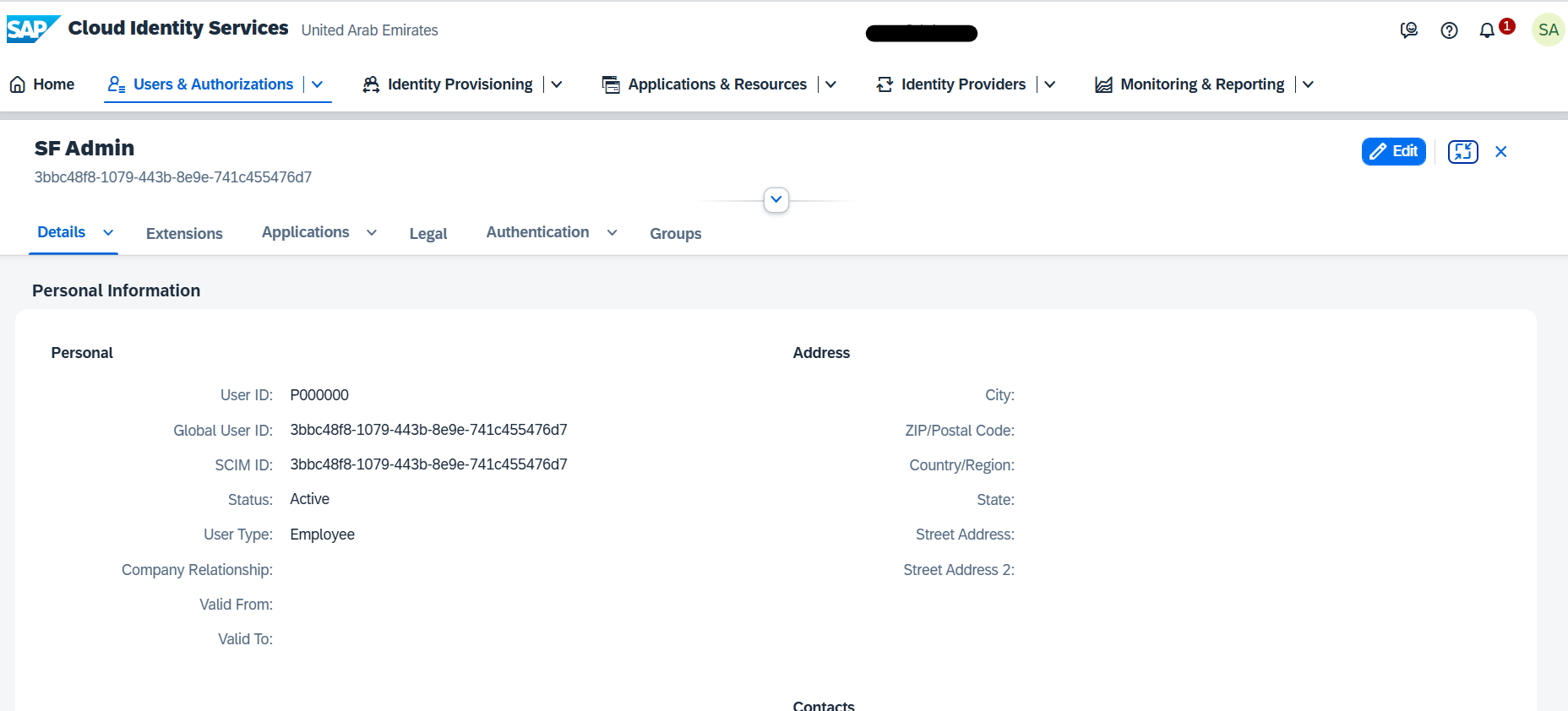
2) Select the Authentication tab.
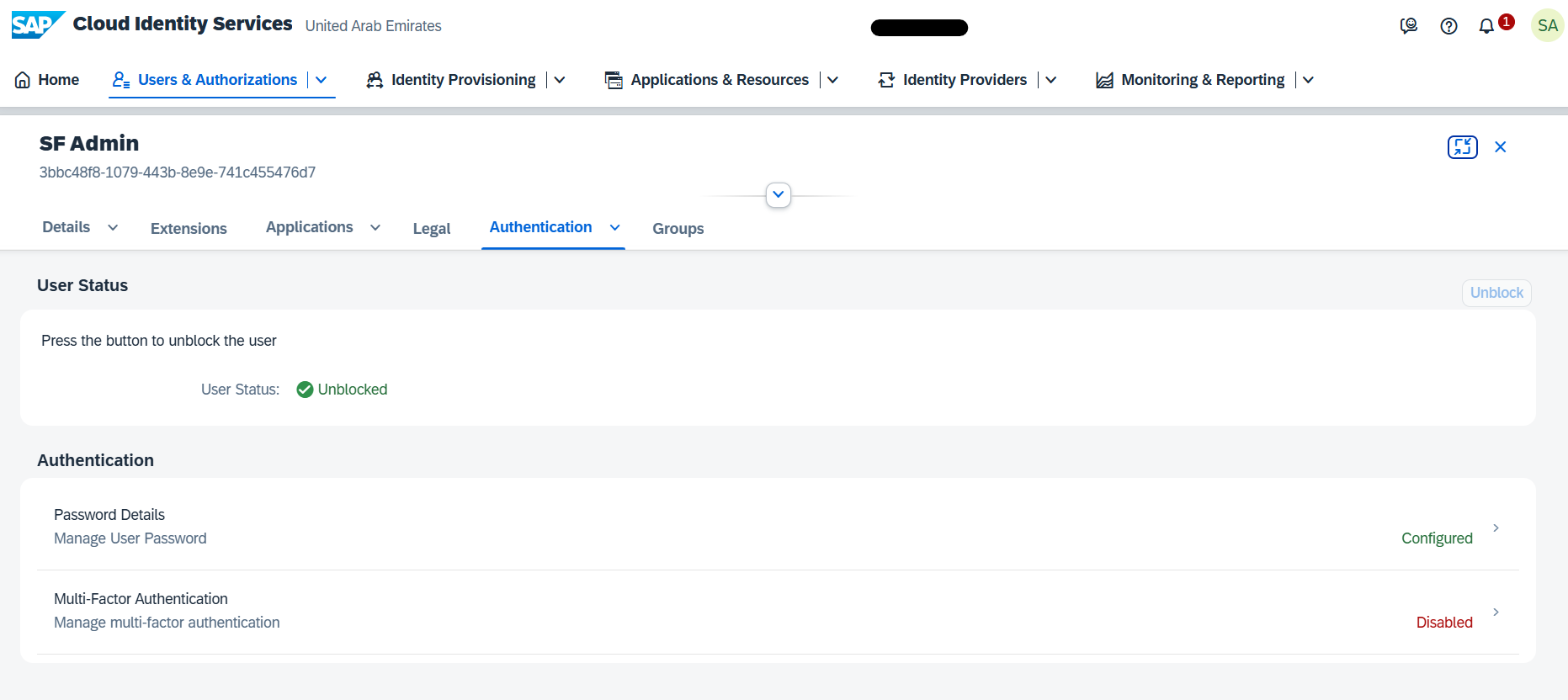
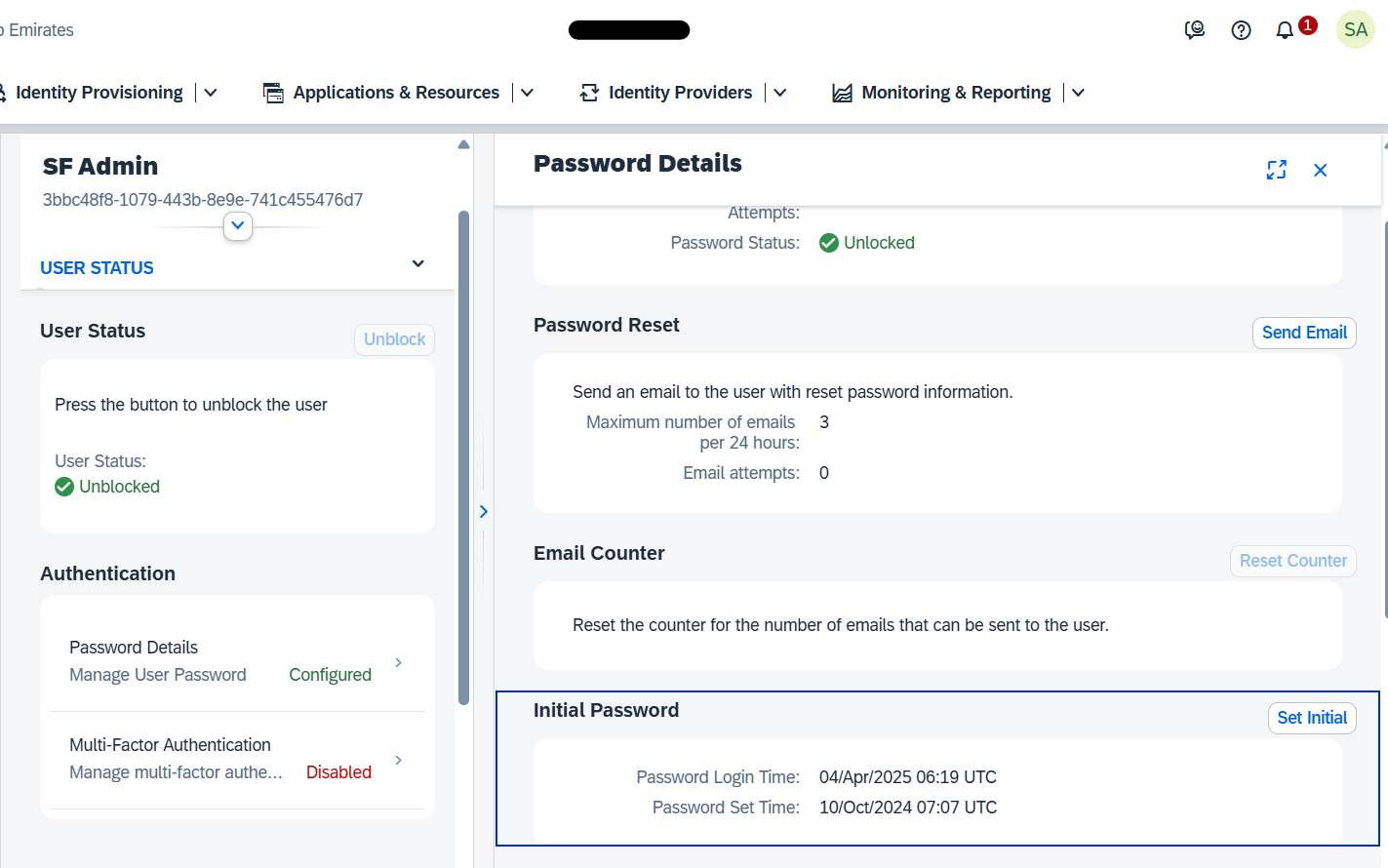
3) Click on the Authentication tab and choose Password Details.
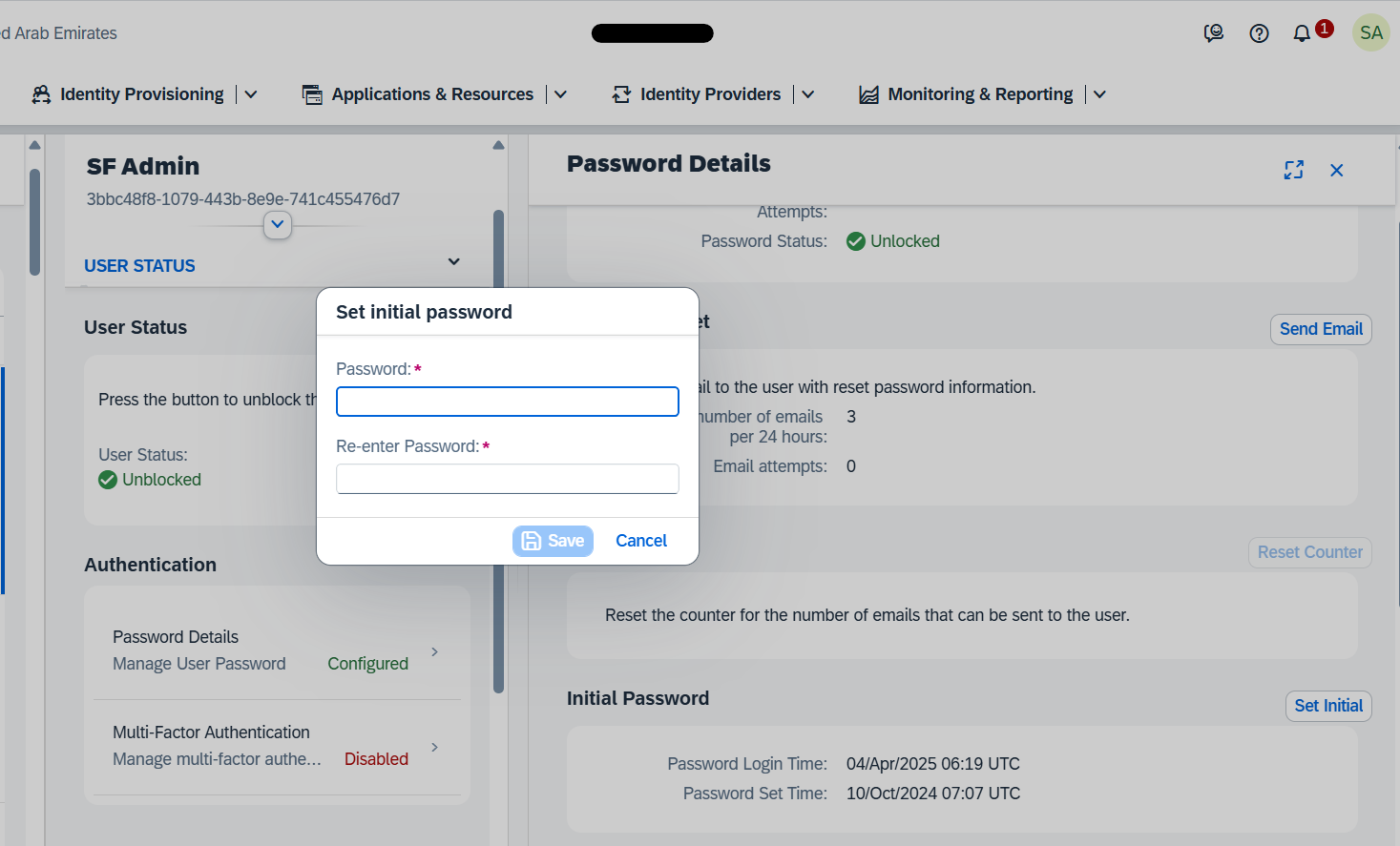
4) Select the option to set the initial password.
5) Set the new password.
Was this article helpful?
That’s Great!
Thank you for your feedback
Sorry! We couldn't be helpful
Thank you for your feedback
Feedback sent
We appreciate your effort and will try to fix the article